
Key takeaways
- Buying by diagonal alone: A 7-inch screen can have a surprisingly large housing. Always check the complete unit dimensions.
- Ignoring glare: A larger screen is not automatically easier to read if sunlight reflects off it. A hood, adjustable mount, or higher-contrast display may help.
- Blocking the paddle stroke: Mounting a unit too close to the cockpit can cause accidental impacts and restrict your stroke.
- Forgetting transport: Measure the kayak’s storage hatch, vehicle rack, and carrying case. A fixed 9-inch setup may be awkward to remove and store.
- Overlooking power demand: Screen size, brightness, GPS, networking, and imaging features affect battery runtime. Follow the maker’s electrical specifications rather than guessing from screen size.
- Using a weak transducer mount: The display can fit perfectly while the transducer arm flexes, catches weeds, or sits at the wrong depth. Match the mount to your hull and launch conditions.
Choosing the right fish finder screen size for a kayak is a balance between readability, mounting space, battery use, and the amount of sonar information you want to see at once. A compact screen keeps a small kayak uncluttered, while a larger display makes split-screen sonar, GPS mapping, and bottom detail easier to interpret.
For most recreational kayaks, a 3.5- or 4-inch fish finder is the easiest fit. Anglers who have a wide sit-on-top kayak, a pedal-drive kayak, or a dedicated electronics pod can usually step up to 5, 7, or even 9 inches. Measure the mounting area before shopping, because the advertised screen diagonal does not include the bezel, buttons, mounting bracket, or cable clearance.
Our top picks
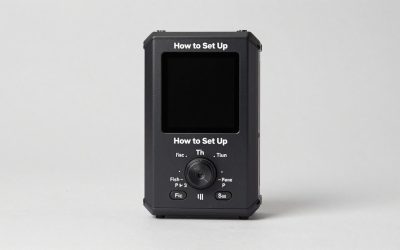
 Garmin 010-01550-00 Striker 4 with Transducer
- Clear Vu scanning Sonar shows you more of…
- The power of simple offers a keyed interface…
- Waypoint map: Use the way point map to…
 LUCKY Kayak Portable Fish Depth Finder Water
- ✦ Fish Finder and Depth Finder : It…
- ✦ Helpful Data Display : Besides fish depth…
- ✦ Handheld & Portable : The size of…
| Product | Key specs | |
|---|---|---|
 HITORHIKE Kayak Fish Finder Holder Mount with HITORHIKE Kayak Fish Finder Holder Mount with | Check price | |
| Garmin 010-01550-00 Striker 4 with Transducer | Clear Vu scanning Sonar shows you more of… The power of simple offers a keyed interface… Waypoint map: Use the way point map to… | Check price |
| LUCKY Kayak Portable Fish Depth Finder Water | ✦ Fish Finder and Depth Finder : It… ✦ Helpful Data Display : Besides fish depth… ✦ Handheld & Portable : The size of… | Check price |
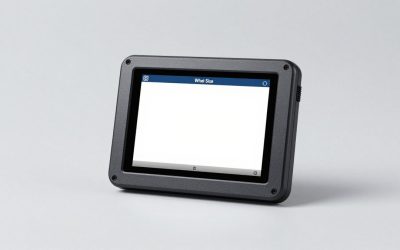
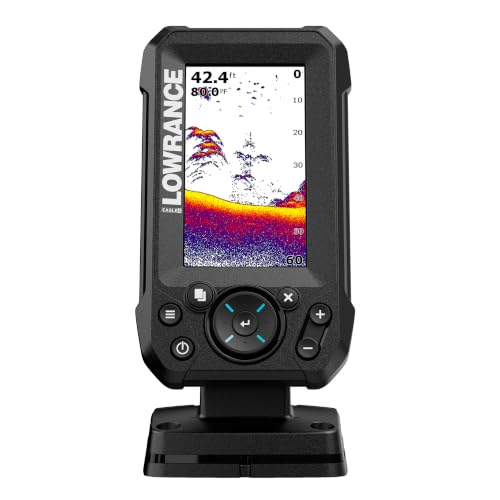 Lowrance Eagle 4X Fish Finder with Bullet Lowrance Eagle 4X Fish Finder with Bullet | The 4-inch IPS portrait screen stays clear in… LESS ADJUSTING, MORE FISHING: Auto-Tuning Sonar automatically provides… The included 200 kHz Bullet Skimmer delivers a… | Check price |
As an Amazon Associate we earn from qualifying purchases at no extra cost to you.
The Short Answer
A 3.5-inch screen is adequate for basic depth, fish arches, and water temperature. A 4- or 5-inch display is the best all-purpose size for most kayak anglers because it remains readable without consuming much deck space. Choose 7 inches when you regularly use GPS charts, side-by-side sonar views, or detailed structure imaging. A 9-inch unit is usually better suited to a large fishing kayak with a substantial console or electronics mount.
Plan for more than the screen itself. A compact fish finder may occupy roughly 6 to 8 inches of mounting width once its housing and bracket are included. Larger 7- to 9-inch models can require approximately 9 to 12 inches of width, plus room for power and transducer cables. A mount such as the HITORHIKE holder, listed at about $24.98 and designed to fit fish finders up to 9 inches, can help, but the holder’s stated capacity is not the same as the actual usable deck area.
Standard Sizes
The table below uses common 4:3 screen proportions to show the approximate visible width and height of each diagonal size. Actual viewing areas vary by manufacturer, aspect ratio, and bezel design. Enclosure dimensions are typical planning ranges, not a substitute for the product’s installation drawing.
| Nominal screen | Approx. visible area | Visible area in centimeters | Typical overall unit size | Best fit |
|---|---|---|---|---|
| 3.5 in | 2.8 × 2.1 in | 7.1 × 5.3 cm | About 5.5–6.5 × 3.5–4.5 in | Small recreational kayaks |
| 4 in | 3.2 × 2.4 in | 8.1 × 6.1 cm | About 6–7 × 3.5–4.75 in | General-purpose fishing |
| 5 in | 4.0 × 3.0 in | 10.2 × 7.6 cm | About 7–8 × 4.5–5.5 in | Frequent anglers and split views |
| 7 in | 5.6 × 4.2 in | 14.2 × 10.7 cm | About 9–10 × 5.5–6.5 in | GPS mapping and advanced sonar |
| 9 in | 7.2 × 5.4 in | 18.3 × 13.7 cm | About 10.5–12 × 6.5–8 in | Wide fishing kayaks and large consoles |
For price planning, basic 3.5- to 4-inch units commonly range from about $40 to $150. The Garmin Striker 4, a 3.5-inch CHIRP GPS fishfinder, is an example of a compact model in the roughly $140 price range. Larger or more advanced 5- to 7-inch units often cost approximately $150 to $600, while 9-inch systems can run from about $500 to more than $1,500 depending on mapping, imaging, and networking features.
How to Measure Your Space
- Choose the mounting location. Sit in the kayak with your paddle, rod, and other gear in position. The screen should be visible without forcing you to twist your torso or take both hands away from your paddle.
- Measure the flat mounting area. Record the usable width and front-to-back depth in inches and centimeters. Ignore curved edges, hatch rims, rails, and molded recesses that cannot support the bracket.
- Check the viewing angle. Measure from your seated eye position to the planned screen location. A screen that looks large in a showroom may be difficult to read if it sits low, far forward, or in direct sun.
- Add bracket clearance. Allow at least 1 to 2 inches around the unit for tilt adjustment and hand access. Swivel mounts need additional side-to-side clearance.
- Plan the cables. Leave room for the power and transducer plugs. Avoid tight bends, pinch points, and cable paths that cross a footwell or paddle stroke.
- Measure the battery compartment. A fish finder may use a small 12-volt battery, but the battery case, fuse, switch, and waterproof connections also need space. Keep electrical components protected from spray.
- Compare the manufacturer’s drawing. Use the overall height, width, depth, and mounting-hole pattern—not just the screen diagonal—before ordering.
By Room or Use Case
Small recreational kayak
Choose a 3.5- or 4-inch fish finder for a narrow sit-in or compact sit-on-top kayak. These units generally provide enough space for depth, temperature, speed, and a basic sonar view. They are also easier to mount near the cockpit and less likely to interfere with paddling. A portable handheld model, such as the LUCKY FFC1108 listed around $42.99, may suit occasional anglers who do not want a permanent installation. Portable units can be convenient, but confirm how the transducer is positioned and how the display is protected from water.
All-purpose fishing kayak
A 4- or 5-inch display is the practical middle ground for most anglers. It provides a larger readout for depth changes and fish symbols while keeping the console compact. The enclosure may weigh roughly 1 to 2 pounds before the mount and battery, so it usually will not create a major balance issue. Budget approximately $100 to $300 for a basic GPS or CHIRP setup, with additional cost for a suitable mount, battery, and protective cover.
Pedal-drive or wide sit-on-top kayak
Wide kayaks with a raised console can accommodate 5- or 7-inch screens. The extra viewing area is especially useful when displaying a chart beside traditional sonar. Leave enough space to operate buttons while wearing gloves and to lift the unit off the mount for transport. A 7-inch display may draw more power than a compact model, so check the manufacturer’s stated voltage and current requirements before selecting a battery. Most kayak installations use a 12-volt supply, but the exact battery capacity depends on the unit and planned fishing time.
Advanced kayak fishing setup
Choose 7 inches when mapping, down imaging, side imaging, or multiple sonar panels are central to your fishing style. A 9-inch screen makes those panels easier to interpret, but it needs a stable, wide mounting surface and careful cable management. It can also add several pounds once the display, bracket, transducer arm, and battery system are combined. The Lowrance Eagle 4X, commonly priced near $115 to $150, illustrates the more compact end of dedicated sonar units; larger imaging systems cost considerably more.
Common Sizing Mistakes
- Buying by diagonal alone: A 7-inch screen can have a surprisingly large housing. Always check the complete unit dimensions.
- Ignoring glare: A larger screen is not automatically easier to read if sunlight reflects off it. A hood, adjustable mount, or higher-contrast display may help.
- Blocking the paddle stroke: Mounting a unit too close to the cockpit can cause accidental impacts and restrict your stroke.
- Forgetting transport: Measure the kayak’s storage hatch, vehicle rack, and carrying case. A fixed 9-inch setup may be awkward to remove and store.
- Overlooking power demand: Screen size, brightness, GPS, networking, and imaging features affect battery runtime. Follow the maker’s electrical specifications rather than guessing from screen size.
- Using a weak transducer mount: The display can fit perfectly while the transducer arm flexes, catches weeds, or sits at the wrong depth. Match the mount to your hull and launch conditions.
FAQ
What is the best fish finder screen size for a kayak?
A 4- or 5-inch screen is the best general choice for most kayaks. Choose 3.5 inches for a compact cockpit and basic sonar, or 7 inches if you need charting and split-screen information.
Is a 7-inch fish finder too big for a kayak?
Not necessarily. It fits many wide or pedal-drive kayaks, provided the console has about 9 to 10 inches of usable width and enough depth for the bracket and cables. It may be excessive on a narrow sit-in kayak.
How much space does a 4-inch fish finder need?
Allow roughly 6 to 7 inches of width, 4 to 5 inches of height, and 1 to 2 inches of adjustment clearance around the housing. Confirm the exact dimensions before drilling or installing a rail mount.
Does a bigger screen use more battery power?
Often, yes, although brightness, GPS, sonar type, networking, and screen technology also matter. Compare the manufacturer’s current draw and estimated runtime, then size the waterproof 12-volt battery for your planned trip length.


Write Your Review
No reviews yet. Be the first to share your experience!