
Key takeaways
- 3.5 to 4 inches: Best for portability, narrow kayaks, and basic depth finding.
- 5 inches: A comfortable middle ground for sonar and occasional GPS.
- 7 inches: Best for detailed maps, side-by-side data, and larger fishing kayaks.
- 9 inches or larger: Usually excessive unless your kayak has a dedicated console and ample battery capacity.
The Short Answer
For most kayaks, a 4-inch fish finder screen is the best all-around size. It provides enough room to read depth, fish arches, bottom contours, and basic GPS information without taking over the limited space beside your seat. A compact 3.5-inch unit works well for anglers who want the lightest, simplest setup, while a 5- to 7-inch screen is easier to read when you want detailed mapping or split-screen sonar.
Choose a fish finder by balancing four measurements: screen diagonal, overall unit footprint, mounting space, and battery weight. A screen that looks manageable in a product photo may still interfere with your paddle stroke, fishing rod, tackle crate, or pedal drive. For most sit-on-top kayaks, allow about 6 to 10 inches of mounting width, 3 to 5 inches of depth, and enough clearance to see the display from your normal seated position.
Our top picks
 Garmin 010-01550-00 Striker 4 with Transducer
- Product Group: Wireless
- Binding: Wireless Phone Accessory
 LUCKY Kayak Portable Fish Depth Finder Water
- ✦ Fish Finder and Depth Finder : It…
- ✦ Helpful Data Display : Besides fish depth…
- ✦ Handheld & Portable : The size of…
| Product | Key specs | Amazon rating | |
|---|---|---|---|
 HITORHIKE Kayak Fish Finder Holder Mount with HITORHIKE Kayak Fish Finder Holder Mount with | – | Check price | |
| Garmin 010-01550-00 Striker 4 with Transducer | Product Group: Wireless Binding: Wireless Phone Accessory | 4.6★ | Check price |
| LUCKY Kayak Portable Fish Depth Finder Water | ✦ Fish Finder and Depth Finder : It… ✦ Helpful Data Display : Besides fish depth… ✦ Handheld & Portable : The size of… | 4.3★ | Check price |
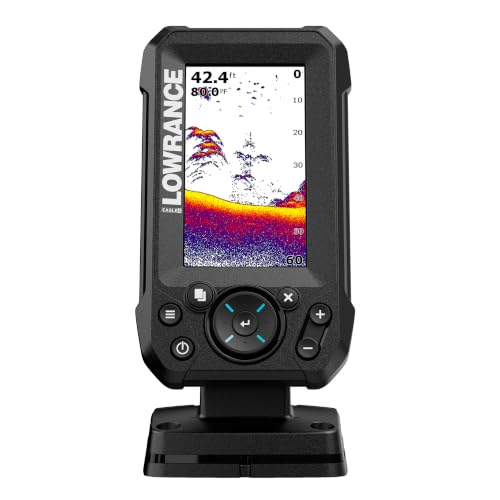 Lowrance Eagle 4X Fish Finder with Bullet Lowrance Eagle 4X Fish Finder with Bullet | The 4-inch IPS portrait screen stays clear in… LESS ADJUSTING, MORE FISHING: Auto-Tuning Sonar automatically provides… The included 200 kHz Bullet Skimmer delivers a… | 4.1★ | Check price |
As an Amazon Associate we earn from qualifying purchases at no extra cost to you. Ratings are shown as listed on Amazon.
As a general guide for 2026 kayak setups:
- 3.5 to 4 inches: Best for portability, narrow kayaks, and basic depth finding.
- 5 inches: A comfortable middle ground for sonar and occasional GPS.
- 7 inches: Best for detailed maps, side-by-side data, and larger fishing kayaks.
- 9 inches or larger: Usually excessive unless your kayak has a dedicated console and ample battery capacity.
Standard Sizes
Fish finder screens are measured diagonally from one corner of the visible display to the opposite corner. The actual housing is larger, and the measurements below show common screen sizes alongside typical overall unit dimensions. Exact dimensions vary by brand, buttons, waterproof housing, and mounting bracket, so check the manufacturer’s specification sheet before drilling or cutting a mounting plate.
| Screen size | Screen diagonal | Approximate visible screen width × height | Typical unit footprint | Best kayak use |
|---|---|---|---|---|
| 3.5 inches | 3.5 in (8.9 cm) | 2.9 × 1.7 in (7.4 × 4.3 cm) | 4.0–4.5 × 3.0–3.5 in (10.2–11.4 × 7.6–8.9 cm) | Compact kayaks and basic sonar |
| 4 inches | 4.0 in (10.2 cm) | 3.4 × 2.0 in (8.6 × 5.1 cm) | 5.0–6.0 × 3.0–3.5 in (12.7–15.2 × 7.6–8.9 cm) | Best general-purpose choice |
| 5 inches | 5.0 in (12.7 cm) | 4.3 × 2.4 in (10.9 × 6.1 cm) | 6.5–7.5 × 4.0–4.5 in (16.5–19.1 × 10.2–11.4 cm) | Sonar plus basic charting |
| 7 inches | 7.0 in (17.8 cm) | 6.1 × 3.4 in (15.5 × 8.6 cm) | 8.0–9.5 × 5.0–6.0 in (20.3–24.1 × 12.7–15.2 cm) | Large fishing kayaks and mapping |
| 9 inches | 9.0 in (22.9 cm) | 7.8 × 4.4 in (19.8 × 11.2 cm) | 10.0–11.5 × 6.0–7.0 in (25.4–29.2 × 15.2–17.8 cm) | Dedicated consoles and tournament-style rigs |
A 3.5-inch Garmin Striker 4, for example, suits anglers who want GPS and CHIRP sonar in a small package. A 4X-class Lowrance unit offers a little more viewing area without becoming especially bulky. Handheld or castable models can be smaller at the mounting point because they do not require a permanent console installation. Prices commonly range from about $40 to $150 for compact kayak fish finders, while larger chartplotter-style units can cost $300 or more.
How to Measure Your Space
- Choose the viewing location. Sit in the kayak wearing your normal life jacket and hold your paddle as though you were preparing to stroke. Mark a position where the screen is visible without twisting your torso or lowering your head too far.
- Measure the available width. Measure from the nearest edge of the seat, hatch, rod holder, or side rail to the next obstruction. Subtract at least 1 inch from this measurement so the unit does not feel crowded.
- Measure front-to-back depth. Include the mounting plate, quick-release base, cables, and transducer connector. A screen with a 3-inch housing depth may need 4 to 5 inches of practical clearance once the cable bends are included.
- Check vertical clearance. Measure from the mounting surface to the lowest part of your paddle, fishing rod, or legs during normal movement. Many displays sit 4 to 7 inches above the deck once the bracket is installed.
- Account for the mount. Verify that the holder accepts the unit’s width and height, not just its screen size. Some universal kayak holders accept displays up to 9 inches, but the bracket may still block buttons or cable ports on a smaller unit.
- Plan the transducer route. A transducer arm, scupper mount, or shoot-through installation needs its own clearance. Leave room to remove the transducer for transport and avoid sharp bends in the cable.
- Measure the battery location. A small fish finder may weigh about 1 to 3 pounds (0.45 to 1.36 kg) with its mount, while the battery box and wiring add more. Keep the battery low and close to the kayak’s centerline.
By Room or Use Case
Compact recreational kayak
Choose a 3.5- or 4-inch display. Recreational kayaks often have narrow accessory rails and limited flat deck space, making a large screen more likely to snag your paddle or fishing line. A small unit with a simple bracket can fit beside the seat and usually consumes less power. A 3.5-inch screen is adequate for showing depth, water temperature, bottom shape, and fish symbols.
Fishing kayak with a side rail
A 4- or 5-inch screen is usually the most practical choice. A rail-mounted base can position the display close enough to read while leaving the center deck clear. Look for a unit with a housing no wider than about 7 inches and a mount that allows tilt adjustment. This size is large enough for readable sonar while remaining easy to remove before loading the kayak onto a vehicle.
Pedal-drive fishing kayak
Pedal kayaks generally have more molded-in mounting areas, but the pedal mechanism and steering controls require extra clearance. A 5-inch screen is a strong fit for most layouts. If the kayak has a wide console or dedicated electronics pod, a 7-inch model can work, provided the bottom edge does not interfere with your knees or pedal stroke.
Open-water and offshore kayak
Choose 5 to 7 inches if you regularly need navigation, chart detail, or split-screen sonar. The larger display is easier to read in glare and moving water. Use a locking or highly secure mount, and confirm the unit’s waterproof rating. A large display is only worthwhile if you can keep it stable and protected from spray.
Portable or rental kayak
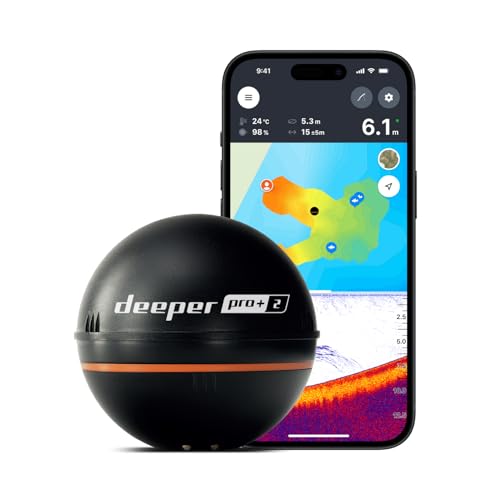
A handheld or castable fish finder is the simplest option. These models avoid permanent drilling and can be carried between kayaks. Expect a smaller screen and fewer mapping features, but setup is fast. Place the handheld unit in a waterproof case or secure it with a short tether so it cannot disappear overboard.
Common Sizing Mistakes
- Choosing by diagonal measurement alone: A 7-inch screen does not tell you the housing width, depth, or bracket size. Compare the complete assembled footprint.
- Ignoring glare and viewing distance: A tiny screen may be readable at home but difficult to interpret from an arm’s length away in direct sunlight. A 5-inch display often provides a noticeable comfort improvement.
- Mounting too close to the paddle path: Leave clearance for both the blade and your hands. A screen should not become a snag point during a fast correction stroke.
- Forgetting cable bends: Connectors need a gentle bend radius. Do not press a kayak hatch or battery box against the cable.
- Overloading the bow or one side: A large display, battery, tackle box, and anchor system can make the kayak feel unstable. Keep heavier components near the center.
- Buying more screen than the sonar supports: A bigger display cannot create more detail from a basic transducer. Spend on a better transducer or GPS features if those matter more than screen area.
FAQ
Is a 3.5-inch fish finder big enough for a kayak?
Yes. A 3.5-inch model is sufficient for depth, basic fish indications, bottom contours, and simple GPS data. It is best when portability and low weight matter more than detailed maps or split-screen viewing.
Is a 5-inch fish finder too large for a kayak?
No. A 5-inch fish finder is often an excellent compromise. It usually needs about 6.5 to 7.5 inches of mounting width and 4 to 4.5 inches of depth, so measure the rail or console before buying.
What size fish finder is easiest to read in sunlight?
A 5- or 7-inch screen is generally easier to read than a 3.5-inch screen because text, depth numbers, and sonar marks have more room. Brightness, contrast, anti-glare treatment, and mounting angle are just as important as diagonal size.
Can any kayak fish finder fit a universal mount?
No. Universal holders have size limits, and the unit must also clear the holder’s clamps, buttons, cable ports, and tilt mechanism. For example, a holder advertised for displays up to 9 inches may require a flat mounting area of roughly 10 by 6 inches. Confirm the holder’s minimum and maximum dimensions before ordering.


Write Your Review
No reviews yet. Be the first to share your experience!